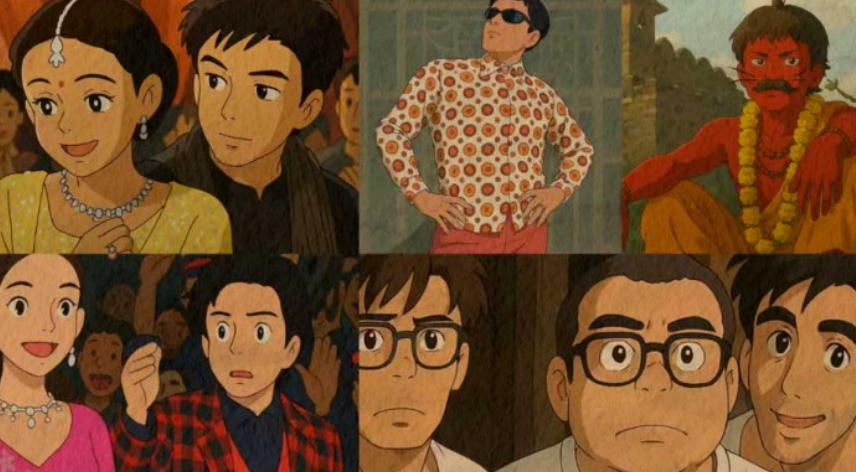
Best AI Tools to Convert Photos to Ghibli Style in 2026 — Free Ghibli Photo Converter
Discover the best AI tools to convert your photos into stunning Studio Ghibli style artwork in 2026. Free Ghibli photo converters tested and ranked for the most magical results.
If you have ever watched Spirited Away, My Neighbor Totoro, Princess Mononoke, or Howl's Moving Castle and found yourself wishing you could step inside that world — you are not alone. Studio Ghibli's visual universe is one of the most beloved and recognizable artistic styles in the history of animation. The soft watercolor backgrounds, the lush painterly landscapes, the warm golden light, the hand-drawn character expressions full of emotion and personality — it is a visual language that millions of people around the world feel a deep and genuine affection for.
In 2026, AI technology has made something extraordinary possible: you can now convert your own photographs into stunning Studio Ghibli style artwork in seconds. Upload a photo of your home, your street, your pet, your family, a landscape you love — and AI tools transform it into something that looks like it could have been a frame from a Ghibli film. The results, when the right tools are used well, are genuinely magical.
The Ghibli AI trend exploded in early 2025 when ChatGPT's image generation capabilities produced viral Ghibli-style portraits that flooded social media overnight. Since then, dozens of specialized AI tools have emerged to serve the enormous demand for Ghibli-style photo conversion — some free, some paid, some exceptional, and some that produce muddy, generic anime results that miss the Ghibli aesthetic entirely.
This guide cuts through all of it. We tested 15+ AI Ghibli photo conversion tools, evaluated the quality of their outputs against the actual visual characteristics of Studio Ghibli's art style, and ranked the best for different use cases — so you can find the right tool for your specific Ghibli photo conversion need.
Quick Answer: For the most authentic Ghibli aesthetic, ChatGPT with DALL-E and Midjourney produce the best results when prompted correctly. For the fastest and most accessible Ghibli conversion without prompting expertise, Fotor AI and Pixlr Ghibli Filter are the strongest purpose-built options. For completely free with no account required, DeepAI Style Transfer and Canva AI cover the basics well.
Table of Contents
- What Makes the Studio Ghibli Art Style Unique?
- How Do AI Ghibli Photo Converters Work?
- What to Look for in a Ghibli AI Tool
- Top 10 AI Ghibli Photo Converter Tools (Ranked)
- Side-by-Side Comparison Table
- Ghibli Style Conversion by Photo Type
- How to Write the Perfect Ghibli AI Prompt
- The Copyright Question — What You Need to Know
- Frequently Asked Questions
- Final Thoughts
Our Top Picks at a Glance
- Best Overall — ChatGPT with DALL-E 3
- Best for Quality & Detail — Midjourney
- Best Purpose-Built Tool — Fotor AI Ghibli Filter
- Best for Portraits — Lensa AI
- Best Free Option — Canva AI
- Best for Landscapes — Adobe Firefly
- Best for Speed — Pixlr Ghibli Filter
- Best for Scenes & Backgrounds — Stable Diffusion (img2img)
- Best Mobile App — YouCam Perfect
- Best for Beginners — PicsArt AI Style Transfer
What Makes the Studio Ghibli Art Style Unique?
Before understanding how AI recreates the Ghibli style, it helps to understand what that style actually consists of — because "Ghibli style" is far more specific and nuanced than "anime" or "cartoon." The best AI Ghibli conversions succeed because they capture multiple specific visual characteristics simultaneously.
Soft Watercolor Backgrounds Ghibli backgrounds are painted with extraordinary care and delicacy — soft washes of color, gentle gradients, subtle texture that suggests hand-applied paint. The backgrounds are often the most breathtaking element of Ghibli films, rendered with a level of detail and atmosphere that makes fictional environments feel physically inhabitable. Rolling green hills, misty mountain ranges, sun-dappled forest floors, rain-soaked city streets — all rendered with a painterly softness that is fundamentally different from the hard digital lines of most modern animation.
Warm, Atmospheric Lighting Ghibli films are famous for their golden hour light — warm amber and honey tones that bathe scenes in a nostalgic, emotionally resonant glow. Sunlight through leaves, afternoon light on old buildings, the warm interior light of a kitchen or bathhouse — light in Ghibli films carries emotional weight in a way that cold, neutral lighting never can.
Lush, Detailed Nature Nature is treated with extraordinary reverence in Ghibli films. Trees have individual leaves rendered with care. Grass bends in the breeze. Water reflects light with physical accuracy. The natural world in Ghibli films feels alive, abundant, and sacred — reflecting director Hayao Miyazaki's deep environmentalism and his belief that the natural world deserves artistic respect.
Expressive but Simplified Character Design Ghibli characters are drawn with clean, expressive lines — big eyes that communicate emotion clearly, soft rounded features, minimal shading, and a warmth of expression that makes even background characters feel like real people. The character art style is simplified compared to photorealism but never feels crude — every simplification is deliberate and emotionally intelligent.
A Sense of Wonder and Everyday Magic Perhaps the hardest element to quantify but the most essential to the Ghibli experience — the art communicates a sense that the world is full of wonder, that ordinary places and moments contain magic, and that looking at the world with curious, open eyes reveals beauty everywhere. The best AI Ghibli conversions somehow capture this ineffable quality — they make your photograph look like a scene from a world you would want to live in.
How Do AI Ghibli Photo Converters Work?
AI Ghibli photo conversion tools use one or more of the following technical approaches:
Style Transfer Neural Networks The original approach to AI art style conversion — a neural network trained to separate the content of an image (the objects, composition, and structure) from its style (the colors, textures, and artistic treatment), and then recombine the content of your photo with the learned style characteristics of Ghibli artwork. Style transfer produces results that maintain your photo's composition while overlaying Ghibli visual characteristics.
Diffusion Model Image-to-Image Generation The more powerful modern approach — a diffusion model takes your photo as a starting point and generates a new image that interprets your photo's content in the Ghibli style. This produces results that are more creatively transformed than pure style transfer — the AI actively reimagines your photo as a Ghibli scene rather than just overlaying a style filter. Tools like Stable Diffusion's img2img pipeline, Midjourney's image prompt feature, and ChatGPT's DALL-E integration all use variations of this approach.
Fine-Tuned Ghibli Models Some specialized tools use diffusion models that have been specifically fine-tuned on Studio Ghibli imagery — training the AI intensively on frames and backgrounds from Ghibli films to produce outputs that are specifically calibrated to the Ghibli aesthetic rather than anime or watercolor art generally. These specialized models tend to produce the most authentically Ghibli-like results when the fine-tuning has been done well.
LoRA Models on Stable Diffusion For technically inclined users, Low-Rank Adaptation (LoRA) models trained specifically on Ghibli imagery can be applied to Stable Diffusion to produce extremely high-quality Ghibli-style outputs with fine control over the specific Ghibli characteristics emphasized. This approach requires more technical knowledge but produces some of the most convincing results available.
What to Look for in a Ghibli AI Tool
Authenticity to the Ghibli aesthetic. Does the output actually look like Ghibli, or does it look like generic anime or a watercolor filter? The difference is significant. The best tools capture the specific warmth, the soft lighting, the painterly background quality, and the emotional atmosphere of Ghibli artwork. Generic anime converters produce outputs that look nothing like Ghibli despite the label.
Detail preservation. Does the tool maintain meaningful detail from your original photo — the specific composition, the key subjects, the spatial relationships — or does it produce a generic Ghibli scene that bears no resemblance to your original image? Good Ghibli converters transform your photo while preserving its identity.
Face and portrait quality. If your photo contains people, how well does the tool render Ghibli-style character faces? Some tools produce beautifully styled faces; others distort facial features in ways that make the output unusable for portrait conversion.
Background and landscape quality. The backgrounds are often the most visually impressive part of a Ghibli conversion. Tools that capture the soft, painterly, atmospheric quality of Ghibli backgrounds produce the most stunning outputs for landscape and architectural photos.
Processing speed. How long does it take to generate the conversion? Some tools produce results in seconds; others take several minutes. For casual use, speed matters. For quality-focused use, slower tools often produce better results.
Free tier quality. What do you actually get for free? Some tools watermark their free outputs heavily; others provide clean, usable results on the free tier.
Top 10 AI Ghibli Photo Converter Tools in 2026
#1 — ChatGPT with DALL-E 3 (Best Overall)
Tagline: The viral Ghibli AI tool that started the trend — and still produces the most accessible high-quality results
Pricing: Free tier available · ChatGPT Plus $20/month for higher quality and volume
ChatGPT with DALL-E 3 integration is the tool that launched the Ghibli AI trend into mainstream awareness in early 2025, when millions of users discovered they could upload a photo and ask ChatGPT to convert it into Ghibli style — with results so good that the outputs went viral across every social media platform simultaneously. In 2026, it remains one of the strongest and most accessible tools for Ghibli photo conversion.
The process is simple: upload your photo to ChatGPT and describe how you want it converted. The more specific and Ghibli-knowledgeable your prompt, the better the result. ChatGPT's DALL-E 3 integration understands the Ghibli aesthetic with impressive nuance — it captures the warm lighting, the soft painterly quality, the lush natural detail, and the emotional atmosphere that distinguish genuine Ghibli-style art from generic anime conversion.
The conversational nature of ChatGPT is a significant advantage — you can iterate on the result by asking for adjustments: "Make the lighting warmer and more golden," "Add more detail to the background foliage," "Make the character's expression more gentle and Ghibli-like." This conversational refinement capability is something no standalone Ghibli converter tool offers, and it allows you to progressively improve the output toward exactly what you have in mind.
The free tier of ChatGPT allows a limited number of image generations per day. ChatGPT Plus unlocks significantly more generation capacity and access to the highest quality DALL-E 3 outputs. For most casual users, the free tier provides enough capacity to convert several photos without needing to upgrade.
Pros:
- Most accessible high-quality Ghibli conversion available
- Conversational refinement — iterate toward your ideal result
- Captures genuine Ghibli aesthetic nuance when prompted well
- No specialized knowledge required — describe what you want naturally
- Available on web and mobile
- Generous enough free tier for casual use
- Can also generate original Ghibli-style scenes from description alone
Cons:
- Result quality depends heavily on prompt quality
- Free tier has daily generation limits
- Occasional content policy restrictions on certain image types
- Less consistent than fine-tuned dedicated Ghibli models
- No direct style control beyond prompting
Best for: Anyone who wants high-quality Ghibli conversions through a simple, conversational interface without needing specialized AI knowledge
#2 — Midjourney (Best for Quality and Detail)
Tagline: The highest quality AI image generator produces extraordinary Ghibli results for those who master its prompting
Pricing: Basic $10/month · Standard $30/month · Pro $60/month
Midjourney consistently produces the most visually stunning and detailed Ghibli-style outputs of any tool available — when prompted correctly. Its understanding of the Ghibli aesthetic is remarkably deep, capturing not just the surface visual characteristics but the emotional atmosphere, the quality of light, the painterly texture of backgrounds, and the specific warmth that makes Ghibli art feel inhabitable rather than merely illustrated.
The image prompt feature allows you to upload your own photo as a reference and combine it with Ghibli-specific text prompts — telling Midjourney both what the image should look like (your photo's composition and subjects) and how it should be styled (Ghibli aesthetic parameters). The results of this combined approach are frequently breathtaking — your photo's identity preserved within a genuinely Ghibli-quality artistic transformation.
The level of detail Midjourney achieves in Ghibli-style backgrounds is unmatched by any other tool — the individual leaves on trees, the texture of aged stone walls, the quality of light through foliage, the depth and atmosphere of distant landscapes — all rendered with an artistic care that rivals the quality of actual Ghibli production art.
The tradeoff is the learning curve. Midjourney's prompting system rewards knowledge and experimentation — users who have invested time in understanding how to construct effective Ghibli prompts get dramatically better results than casual users who expect good output from a simple request. The Discord-based interface is also less intuitive than purpose-built converter apps.
Effective Midjourney Ghibli prompts:
- "Studio Ghibli style, [describe your photo's subject], soft watercolor background, warm golden afternoon light, hand-drawn animation aesthetic, lush nature detail, Hayao Miyazaki inspired, gentle atmosphere --ar 16:9 --style raw"
- "Ghibli film still, [your scene], painterly backgrounds, soft cel-shaded characters, warm natural lighting, nostalgic atmosphere, My Neighbor Totoro color palette --v 6"
Pros:
- Highest quality Ghibli output available for any tool
- Extraordinary background and landscape detail
- Strong understanding of Ghibli atmospheric qualities
- Image prompt feature preserves your photo's composition
- Consistent high quality across multiple generations
- Best for creating print-quality Ghibli artwork
Cons:
- Requires learning Midjourney's prompting system
- Discord-based interface less intuitive than consumer apps
- No free tier — paid subscription required
- Image prompt feature requires understanding of prompt weighting
- Generation credits limit output volume
Best for: Creatives, designers, and enthusiasts who want the absolute highest quality Ghibli-style outputs and are willing to invest time in learning effective prompting
#3 — Fotor AI Ghibli Filter (Best Purpose-Built Tool)
Tagline: The most accessible dedicated Ghibli photo converter — one click, beautiful results, no prompting required
Pricing: Free tier (limited) · Fotor Pro ~$8.99/month
Fotor has developed one of the most capable dedicated Ghibli photo conversion filters in the category — a purpose-built tool that applies the Ghibli aesthetic to uploaded photos without requiring any prompting knowledge or technical expertise. You upload your photo, select the Ghibli style filter, adjust a few parameters if desired, and download your converted image. The entire process takes under thirty seconds.
The quality of Fotor's Ghibli conversion is impressive for a one-click tool — it captures the warm color palette, the soft painterly texture, the gentle lighting, and the hand-drawn quality of Ghibli artwork with more authenticity than most generic anime converters. Background areas are transformed with particular success — cityscapes, landscapes, and architectural photos tend to produce the most stunning Ghibli conversions in Fotor.
Portrait photos work reasonably well — faces are rendered in the simplified, expressive Ghibli character style with decent accuracy, though very detailed facial features occasionally simplify more aggressively than ideal. The tool allows you to adjust the intensity of the style transformation — a lower intensity setting preserves more of the original photo's realism while adding Ghibli warmth and texture, while higher intensity produces a more fully transformed, deeply animated result.
Pros:
- Most accessible dedicated Ghibli converter — no prompting required
- Good quality output for a one-click conversion tool
- Adjustable style intensity for more or less dramatic transformation
- Works well on landscapes, architecture, and nature photos
- Good free tier for evaluation
- Fast processing — results in under 30 seconds
- Batch processing on Pro plan
Cons:
- Free tier watermarks outputs and limits resolution
- Portrait quality slightly less consistent than landscape quality
- Less creative flexibility than Midjourney or ChatGPT
- Output quality ceiling lower than AI generation tools
- Some photos produce less convincing Ghibli feel than others
Best for: Users who want a fast, accessible, no-prompting-required Ghibli photo conversion with genuinely good output quality
#4 — Lensa AI (Best for Ghibli Portraits)
Tagline: The most beautiful AI portrait conversion — your face reimagined in the warmth of Ghibli character art
Pricing: Free trial · Lensa Pro ~$7.99/month or ~$29.99/year
Lensa AI built its reputation on AI portrait transformation — taking selfies and photos of people and converting them into various artistic styles. Its Ghibli and anime style packs are among the most popular in the app, and for portrait-specific Ghibli conversion, it produces the most consistently flattering and aesthetically accurate results of any tool in the category.
The Lensa approach to Ghibli portrait conversion is to train a personalized mini-model on multiple photos of the same person — you upload 10 to 20 photos of yourself or the person you want converted, and Lensa creates a personalized model that understands your specific facial features before generating Ghibli-style portraits. This personalization approach produces results that genuinely look like the person in a Ghibli character style rather than a generic anime face — the specific personality and character of the original person translates into the conversion.
The output quality for portrait conversion is consistently the strongest in the category — expressive, warm, beautifully lit Ghibli-style character portraits that capture the emotional quality of the original subject. For creating Ghibli-style profile pictures, gifts, personalized artwork, or memorable portraits, Lensa is the standout choice.
Pros:
- Best portrait-specific Ghibli conversion quality available
- Personalized model trained on multiple photos of the same person
- Preserves the subject's specific personality in the conversion
- Multiple style variations generated simultaneously
- High resolution outputs suitable for printing
- Great for profile pictures, gifts, and personalized art
- Consistent quality across different skin tones and facial features
Cons:
- Requires uploading 10 to 20 photos for best results
- Portrait-focused — less suitable for landscape and scene conversion
- Subscription required for Ghibli style pack access
- Processing takes longer than single-photo conversion tools
- Requires giving the app access to a collection of personal photos
Best for: Anyone who wants to create high-quality Ghibli-style portraits of themselves, family members, or friends with results that genuinely capture the subject's character
#5 — Canva AI (Best Free Option)
Tagline: Ghibli-style AI art generation within the world's most popular design platform — free and endlessly useful
Pricing: Free · Canva Pro ~$14.99/month
Canva's AI image generation features — powered by Stable Diffusion and its own AI infrastructure — include the ability to generate and convert images in anime and Ghibli-inspired styles. The Magic Media feature in Canva allows you to describe the image you want, including Ghibli style parameters, and generate an output within Canva's design environment where you can immediately use it in a design project — a social media post, a card, a poster, or any other canvas.
While Canva's Ghibli output quality does not quite match the ceiling of Midjourney or ChatGPT for pure artistic quality, it has a significant advantage — everything you generate is immediately available to use in a design context. You can place your Ghibli-style image on a birthday card, a phone wallpaper, a social media post template, or a poster within seconds of generating it, without needing to download and upload between multiple tools.
The free tier of Canva provides a generous number of AI generation credits each month — enough for regular casual Ghibli-style generation without needing to upgrade. For users who use Canva regularly for other design work, the integrated Ghibli generation feature adds enormous value at zero additional cost.
Pros:
- Completely free for meaningful generation volume
- Immediate integration with Canva's design tools
- Generate and use Ghibli art in design projects in one workflow
- No technical knowledge required
- Good for creating Ghibli-style social media content and cards
- Regular AI feature improvements with Firefly integration
- Text-to-Ghibli generation from description
Cons:
- Output quality ceiling lower than Midjourney or ChatGPT
- Less authentic Ghibli aesthetic than purpose-built tools
- Free tier generation credits limited per month
- Photo-to-Ghibli conversion less strong than text-to-Ghibli generation
- Requires Canva account
Best for: Canva users who want to integrate Ghibli-style art into design projects without additional tools or subscriptions
#6 — Adobe Firefly (Best for Landscapes and Scenes)
Tagline: Adobe's generative AI produces painterly Ghibli-inspired landscapes and scenes with professional quality
Pricing: Free (limited credits) · Firefly Standard ~$9.99/month · Part of Creative Cloud plans
Adobe Firefly's generative image capabilities — combined with its Style Reference feature that allows you to upload a reference image and apply its aesthetic to generated content — produce Ghibli-style landscape and scene conversions of impressive quality. For architectural photos, natural landscapes, cityscapes, and interior scenes, Firefly's understanding of painterly, atmospheric rendering produces outputs that capture the Ghibli background art aesthetic with notable authenticity.
The Generative Fill feature in Adobe Photoshop — powered by Firefly — allows you to take an existing photo, select specific areas, and have Firefly regenerate those areas in a Ghibli-inspired artistic style while preserving the rest of the image. This selective transformation approach is uniquely powerful for partial Ghibli conversion — transforming the background of a portrait photo into a Ghibli landscape while keeping the subject naturalistic, for example.
For users already in the Adobe Creative Cloud ecosystem, Firefly integrates naturally into professional workflows — the Ghibli-style outputs can be immediately refined in Photoshop, layered in Illustrator, or used in Premiere Pro video projects. The commercial licensing advantage of Firefly-generated content is also important for professional users who need to use their Ghibli-style outputs in client work.
Pros:
- Excellent landscape and scene Ghibli conversion quality
- Style Reference feature for authentic aesthetic application
- Generative Fill for selective partial Ghibli transformation
- Integrates with Photoshop, Illustrator, and Premiere Pro
- Commercial IP indemnification for professional use
- Good for professional creative workflows
Cons:
- Free tier provides limited generation credits
- Less specialized for Ghibli specifically than dedicated tools
- Portrait conversion quality lower than landscape quality
- Requires some familiarity with Adobe tools for best results
- Best features locked inside the Creative Cloud subscription
Best for: Adobe Creative Cloud users who want professional-quality Ghibli-style landscape and scene generation integrated into their existing design workflow
#7 — Pixlr Ghibli Filter (Best for Speed)
Tagline: The fastest Ghibli photo converter — instant results directly in your browser with no download required
Pricing: Free · Pixlr Premium ~$7.99/month
Pixlr is a browser-based photo editing tool that has incorporated AI style transfer filters including a Ghibli and anime aesthetic filter that produces usable results in seconds. The tool's defining advantage is speed and accessibility — you open the website, upload a photo, apply the Ghibli filter, and download the result in under a minute without installing any software or creating an account.
The output quality is solid for the speed — Pixlr's Ghibli filter applies warm color grading, softens textures to create a painterly quality, and stylizes edges to suggest hand-drawn animation. The results are clearly Ghibli-inspired rather than being generic anime, which puts Pixlr ahead of many filters that use the Ghibli label but produce outputs that look nothing like actual Ghibli artwork.
For social media content creation, quick fun conversions, or situations where you need a Ghibli-style photo fast without quality being the primary concern, Pixlr's speed and zero-friction workflow makes it the most practical choice. The filter intensity can be adjusted to produce more or less dramatic transformations, and the tool handles a wide range of photo types including portraits, landscapes, and architectural photos.
Pros:
- Fastest Ghibli conversion workflow in the category
- No account or download required — fully browser-based
- Good quality for a filter-based conversion tool
- Free tier is genuinely usable without watermark on standard resolution
- Adjustable filter intensity
- Works on portraits, landscapes, and architectural photos
- Handles batch photos on premium tier
Cons:
- Quality ceiling lower than AI generation tools
- Less authentic Ghibli aesthetic than Midjourney or ChatGPT outputs
- High-resolution download requires premium
- Less detail preservation than diffusion-based tools
- No conversational refinement capability
Best for: Users who need fast, no-friction Ghibli-style conversions for social media and casual use without quality being the primary concern
#8 — Stable Diffusion img2img (Best for Scenes and Full Control)
Tagline: Maximum creative control over Ghibli conversion for technically confident users — the most powerful free option
Pricing: Free (open source) · Hosted versions from ~$10/month
Stable Diffusion's image-to-image (img2img) pipeline is the most technically powerful Ghibli photo conversion tool available — and it is entirely free if you run it locally on your own hardware. Combined with Ghibli-specific LoRA models available through Civitai and HuggingFace, it produces outputs that can genuinely rival the quality of Midjourney while offering complete control over every aspect of the generation process.
The img2img approach works by using your uploaded photo as the starting point for the diffusion generation process — the AI begins from your image and progressively transforms it toward the Ghibli aesthetic according to your prompt and the denoising strength you set. Lower denoising strength preserves more of the original photo's detail; higher denoising strength produces a more fully reimagined Ghibli scene.
Ghibli-specific LoRA models trained on Studio Ghibli backgrounds and character designs — such as the GhibliBackground LoRA and the Ghibli Style LoRA available in the community — produce outputs that are specifically calibrated to different aspects of the Ghibli aesthetic: the painterly background quality, the specific color palettes of different Ghibli films, the character art style, and more.
For technically comfortable users who want maximum quality and control without a subscription, Stable Diffusion with Ghibli LoRAs is the most powerful option available.
Pros:
- Completely free for local installation users
- Most technically powerful Ghibli conversion available
- Ghibli-specific LoRA models for authentic aesthetic
- Complete control over every aspect of generation
- img2img preserves photo composition while transforming style
- Active community constantly developing better Ghibli models
- Can run locally for complete privacy
Cons:
- Significant technical knowledge required for best results
- Local installation requires capable hardware (GPU)
- Not suitable for non-technical users
- Setup time investment before you can start generating
- Hosted versions add cost to what is theoretically free
Best for: Technical users, developers, and AI enthusiasts who want maximum quality and control over Ghibli photo conversion and are comfortable with open-source AI tools
#9 — YouCam Perfect (Best Mobile App)
Tagline: The most polished mobile Ghibli photo conversion experience — beautiful results directly from your phone
Pricing: Free · YouCam Premium ~$4.99/month
YouCam Perfect is a feature-rich mobile photo editing app that has incorporated AI art style conversion including a Ghibli and anime art style filter that is the strongest in the mobile app category. The Ghibli conversion quality on YouCam is impressive for a mobile application — the outputs capture the warm color palette, the soft lighting, and the hand-drawn aesthetic of Ghibli artwork with more authenticity than most mobile competitors.
The mobile-first design makes YouCam particularly accessible for smartphone photography — you can shoot a photo with your phone camera and convert it to Ghibli style in seconds without ever leaving the app. The real-time preview feature shows the Ghibli filter applied to your camera feed before you even take the photo, allowing you to frame your shot with the Ghibli transformation in mind.
Portrait conversion is a particular strength — YouCam's face-aware AI applies the Ghibli character style to faces with attention to preserving the subject's recognizable features while rendering them in the simplified, expressive Ghibli aesthetic. The app also provides additional post-conversion editing tools — brightness, contrast, saturation, and detail adjustments — allowing you to fine-tune the Ghibli output to your preference.
Pros:
- Best Ghibli conversion quality in the mobile app category
- Real-time Ghibli filter preview in camera mode
- Strong portrait and face conversion quality
- Additional post-conversion editing tools
- Intuitive mobile-first interface
- Good free tier for casual use
- Fast processing on modern smartphones
Cons:
- Mobile only — no web or desktop version
- High-resolution output requires premium subscription
- Quality ceiling lower than desktop AI tools
- Some filters feel more anime than specifically Ghibli
- Occasional ads on free tier
Best for: Mobile-first users who want the best Ghibli photo conversion experience directly on their smartphone without needing a desktop or laptop
#10 — PicsArt AI Style Transfer (Best for Beginners)
Tagline: The most beginner-friendly AI style transfer with Ghibli-inspired filters — fun, accessible, and free
Pricing: Free · PicsArt Gold ~$5/month
PicsArt is one of the world's most popular mobile creative apps, and its AI Style Transfer feature includes anime and Ghibli-inspired style options that make Ghibli-style photo conversion accessible to the widest possible audience. The experience is designed for maximum simplicity — browse the style library, select a Ghibli or anime-inspired style, apply it to your photo, and share. No technical knowledge, no prompting, no friction.
The Ghibli output quality from PicsArt is the most variable in the category — some photos convert beautifully, producing warm, painterly results that capture genuine Ghibli atmosphere, while others produce more generic anime results that miss the specific Ghibli aesthetic. The variance depends significantly on the subject matter of the photo — landscapes and nature scenes tend to convert better than interior scenes or complex portraits.
For absolute beginners who want to explore Ghibli-style AI conversion for the first time without any learning curve or cost, PicsArt is the most accessible starting point. The large community of PicsArt users also means there is abundant tutorial content available for getting better results from the AI style features.
Pros:
- Most beginner-friendly Ghibli conversion experience
- Large library of anime and Ghibli-inspired styles to explore
- Completely free core features
- Large user community with tutorials and tips
- Combines with PicsArt's full photo editing feature set
- Good for social media sharing workflows
- Available on iOS, Android, and web
Cons:
- Output quality is variable — inconsistent Ghibli authenticity
- Less genuinely Ghibli than purpose-built tools
- Best results are good but ceiling is lower than premium tools
- Many style options that are labeled Ghibli are more generic anime
- Premium required for highest resolution exports
Best for: Complete beginners who want to explore AI Ghibli-style photo conversion for the first time with zero learning curve and zero cost
Side-by-Side Comparison Table
| Tool | Best For | Free Option | Photo Input | Portrait Quality | Landscape Quality | Prompting Required | Mobile App |
|---|---|---|---|---|---|---|---|
| ChatGPT DALL-E | Best overall | ✅ Limited | ✅ | ✅ Good | ✅ Excellent | ✅ Simple | ✅ |
| Midjourney | Quality & detail | ❌ | ✅ | ✅ Good | ✅ Best | ✅ Advanced | ❌ |
| Fotor AI | Purpose-built | ✅ Limited | ✅ | ✅ Good | ✅ Excellent | ❌ | ✅ |
| Lensa AI | Portraits | ✅ Trial | ✅ Multiple | ✅ Best | ❌ | ❌ | ✅ |
| Canva AI | Free design | ✅ Good | ✅ | ✅ Basic | ✅ Good | ✅ Simple | ✅ |
| Adobe Firefly | Landscapes | ✅ Limited | ✅ | ✅ Good | ✅ Excellent | ✅ Simple | ✅ |
| Pixlr | Speed | ✅ Good | ✅ | ✅ Basic | ✅ Good | ❌ | ✅ |
| Stable Diffusion | Full control | ✅ Free | ✅ | ✅ Excellent | ✅ Best | ✅ Advanced | ❌ |
| YouCam Perfect | Mobile | ✅ Good | ✅ | ✅ Excellent | ✅ Good | ❌ | ✅ Best |
| PicsArt | Beginners | ✅ Good | ✅ | ✅ Basic | ✅ Basic | ❌ | ✅ |
Ghibli Style Conversion by Photo Type
Here's a quick guide to which tool works best for different types of photos you want to convert:
Portrait Photos and Selfies Lensa AI produces the most flattering and authentic Ghibli character portrait results. YouCam Perfect is the best mobile option for portrait conversion. ChatGPT with DALL-E is the best free option for portrait conversion with conversational refinement.
Landscape and Nature Photos Midjourney produces the most breathtaking Ghibli landscape conversions — particularly for green hills, forests, coastlines, and countryside scenes. Adobe Firefly is excellent for landscapes within the Creative Cloud workflow. Fotor AI is the best no-prompting option for landscape conversion.
Architectural and Urban Photos ChatGPT with DALL-E handles urban and architectural Ghibli conversion particularly well — buildings, streets, and city scenes transform beautifully into the kind of cozy, lived-in urban environments that appear in films like Spirited Away and The Cat Returns. Stable Diffusion with a town or building focused LoRA produces the most detailed architectural Ghibli outputs.
Interior and Home Photos Fotor AI and ChatGPT both handle interior space conversion well — transforming living rooms, kitchens, and gardens into warm, magical Ghibli domestic spaces. Prompting ChatGPT to reference the interior aesthetic of Howl's Moving Castle or Kiki's Delivery Service produces particularly resonant interior conversions.
Pet Photos Pet photos convert beautifully in the Ghibli style — animals are treated with great warmth and character in Ghibli films, and AI tools tend to capture this well. ChatGPT and Fotor both produce charming Ghibli-style pet portraits. For particularly beloved pets, Lensa's personalized model approach can produce extraordinary results.
Group Photos and Family Photos ChatGPT with DALL-E handles group photo conversion best — its understanding of how to render multiple characters in Ghibli style while preserving their individual identities is the strongest in the category. PicsArt is the most accessible free option for group conversions.
How to Write the Perfect Ghibli AI Prompt
For tools that accept text prompts — ChatGPT, Midjourney, Stable Diffusion, and others — the quality of your Ghibli conversion depends enormously on the quality of your prompt. Here is a framework for writing prompts that produce the most authentic and beautiful Ghibli-style results:
Start with the style anchor. Open your prompt with "Studio Ghibli style" or "Hayao Miyazaki inspired" to anchor the AI's aesthetic reference. Being more specific about which Ghibli film the style should reference can further refine the output — Spirited Away has different visual characteristics from Princess Mononoke or Howl's Moving Castle.
Describe the lighting specifically. Lighting is the most emotionally powerful element of Ghibli visual style. Specify "warm golden afternoon light," "soft dappled sunlight through leaves," "gentle blue hour twilight," or "warm interior candlelight" depending on the mood you want to achieve.
Include background quality descriptors. Ghibli backgrounds are their visual crown jewel. Include terms like "painted watercolor background," "lush hand-painted scenery," "detailed painterly foliage," or "atmospheric soft background" to direct the AI toward Ghibli's background aesthetic.
Specify the emotional atmosphere. Ghibli films carry a distinctive emotional atmosphere — terms like "nostalgic," "peaceful," "wonder-filled," "magical everyday life," "gentle and warm," or "quietly magical" help the AI calibrate the emotional register of the output.
Add negative prompts for what to avoid. For tools that accept negative prompts (Midjourney, Stable Diffusion), specifying what you don't want is as important as what you do want. Common Ghibli negative prompts include "no harsh shadows," "no flat digital colors," "no sharp hard lines," "no Western cartoon style," "no photorealistic rendering."
Example complete prompt: "Studio Ghibli style, [describe your photo's subject and scene], warm golden afternoon light, soft watercolor painted background, lush hand-painted foliage detail, gentle nostalgic atmosphere, Hayao Miyazaki inspired, detailed painterly scenery, hand-drawn animation aesthetic, warm color palette, peaceful and magical --no harsh shadows, flat colors, photorealistic, Western cartoon"
The Copyright Question — What You Need to Know
The explosion of AI Ghibli-style content has raised important questions about copyright and the legal status of AI-generated art in the style of specific studios and artists. Here is what you need to know:
AI-generated art "in the style of" is generally not copyright infringement. Copyright law in most jurisdictions protects specific creative works but not artistic styles themselves. Generating an image that looks like Ghibli style is not the same as copying an actual Ghibli film frame — just as a human artist who paints in a Ghibli-inspired style is not infringing Ghibli's copyright.
Using actual Ghibli film frames as input raises different questions. If you take a screenshot from an actual Ghibli film and use it as the input image for an AI transformation, you are starting from copyrighted material — which is a more complex situation. Using your own original photographs as the input and requesting a Ghibli-inspired style as the output is the approach with the clearest copyright standing.
Commercial use requires careful consideration. Using AI Ghibli-style images for personal use, social media sharing, and non-commercial creative projects is generally unproblematic. Using them in commercial contexts — selling prints, using them in marketing materials, incorporating them into products for sale — requires more careful evaluation of the specific tool's commercial license and the broader copyright landscape in your jurisdiction.
The landscape is evolving. AI art copyright law is actively developing in 2026, with courts and legislatures around the world working to establish clearer frameworks. Staying informed about developments in your jurisdiction is important if you plan to use AI Ghibli-style art in any commercial context.
Studio Ghibli's position. Studio Ghibli has not made public statements specifically authorizing AI art in their style. Hayao Miyazaki famously criticized early AI animation in a 2016 interview. The ethical dimension — beyond the legal one — is worth considering for users who have deep respect for the studio and its artists.
Frequently Asked Questions
Is it free to convert photos to Ghibli style with AI? Yes — several tools offer genuinely free Ghibli-style photo conversion. ChatGPT's free tier allows limited daily image generation including Ghibli-style conversion. Canva AI provides free generation credits monthly. PicsArt and Pixlr both offer free Ghibli-inspired filters. For the highest quality results, tools like Midjourney and Lensa AI require paid subscriptions, but the free options deliver meaningfully good results for casual use.
Which AI tool produces the most authentic Ghibli style? Midjourney produces the most visually authentic Ghibli aesthetic when prompted correctly — capturing the specific painterly background quality, warm lighting, and atmospheric depth of actual Ghibli films with greater fidelity than any other tool. ChatGPT with DALL-E 3 produces the most accessible high-quality Ghibli output. Stable Diffusion with Ghibli-specific LoRA models is the most powerful option for technical users who want complete control.
Can I convert any type of photo to Ghibli style? Most photo types convert well — landscapes, portraits, architectural photos, pet photos, and interior scenes all produce interesting Ghibli-style outputs. Landscape and nature photos tend to produce the most stunning results because Ghibli's signature painted backgrounds have the most scope for expression in these subjects. Very dark, poorly lit, or very complex cluttered photos tend to produce less satisfying results regardless of the tool used.
How do I make my Ghibli conversion look more authentic? The most important factors for authenticity are the tool you use and the quality of your input. For tool quality, Midjourney and ChatGPT with specific prompts produce the most authentic results. For input quality, well-lit photos with clear subjects and interesting backgrounds convert most beautifully. When using prompt-based tools, including specific Ghibli lighting, atmosphere, and background quality descriptors in your prompt dramatically improves authenticity.
Can I use AI Ghibli photos commercially? This depends on the specific tool's license and the copyright considerations discussed in the copyright section above. Adobe Firefly offers the clearest commercial license with IP indemnification. Midjourney paid subscriptions include commercial use rights. For commercial applications — selling prints, using in advertising, incorporating into products — always verify the specific license terms of the tool you used and consult legal advice if uncertain.
Why did the Ghibli AI trend go viral? The Ghibli AI trend exploded in early 2025 primarily because ChatGPT's improved image generation capabilities coincidentally coincided with a wave of users discovering they could upload personal photos and receive outputs of unprecedented quality — transforming their real-world environments and themselves into scenes that looked like they genuinely belonged in beloved Ghibli films. The emotional resonance of seeing yourself or your home transformed into the visual world of films that many people associate with childhood wonder, nostalgia, and comfort was immediately and universally shareable. The trend spread faster than almost any previous social media phenomenon because the outputs were both beautiful and personally meaningful.
What is the difference between Ghibli style and anime style? Anime is a broad category covering all Japanese animated content — encompassing everything from shonen action series to moe slice-of-life shows to adult psychological dramas. Studio Ghibli's visual style is a specific subset of anime that is characterized by its painterly backgrounds, warm naturalistic color palettes, soft lighting, lush nature imagery, and emotionally gentle atmosphere. Many tools labeled as "Ghibli style" actually produce generic anime results — harsh line work, flat colors, and the visual conventions of mainstream anime that are quite different from Ghibli's distinctive aesthetic. A good Ghibli converter specifically captures Ghibli's painterly, atmospheric, warmly lit quality rather than generic anime conventions.
Can I animate my Ghibli-style photo? Emerging AI video tools are beginning to make Ghibli-style animation from still images possible. Runway Gen-4 and Google Veo 3 can take a Ghibli-style image as input and generate short animated sequences with Ghibli-inspired motion — gentle camera movements, waving grass and leaves, soft cloud motion — that bring the still image to life. This animated Ghibli conversion capability is still maturing but represents the next frontier of this creative space.
Final Thoughts
The ability to convert your own photographs into Studio Ghibli style artwork is one of the most genuinely joyful applications of AI technology in 2026. There is something deeply moving about seeing the ordinary moments and places of your own life transformed into the visual language of films that generations of people associate with wonder, warmth, and the magic of everyday existence.
ChatGPT with DALL-E 3 remains the most accessible high-quality option for most users — it is free to try, conversational and iterative, and captures the Ghibli aesthetic with impressive authenticity when prompted thoughtfully. Midjourney is the tool that produces the absolute highest quality Ghibli outputs — breathtaking landscape and scene conversions that genuinely rival professional Ghibli production art — for users willing to invest time in mastering its prompting. Fotor AI is the best choice for users who want a dedicated, no-prompting-required tool with consistently good quality. Lensa AI is unmatched for portrait conversion. And Stable Diffusion with Ghibli LoRAs is the most powerful option for technical users who want complete creative control at zero cost.
Whatever tool you choose, the experience of seeing your world through the warm, painterly, wonder-filled lens of the Ghibli aesthetic is consistently delightful. Your street, your home, your face, your favorite place — all of them contain magic. These AI tools just help you see it.