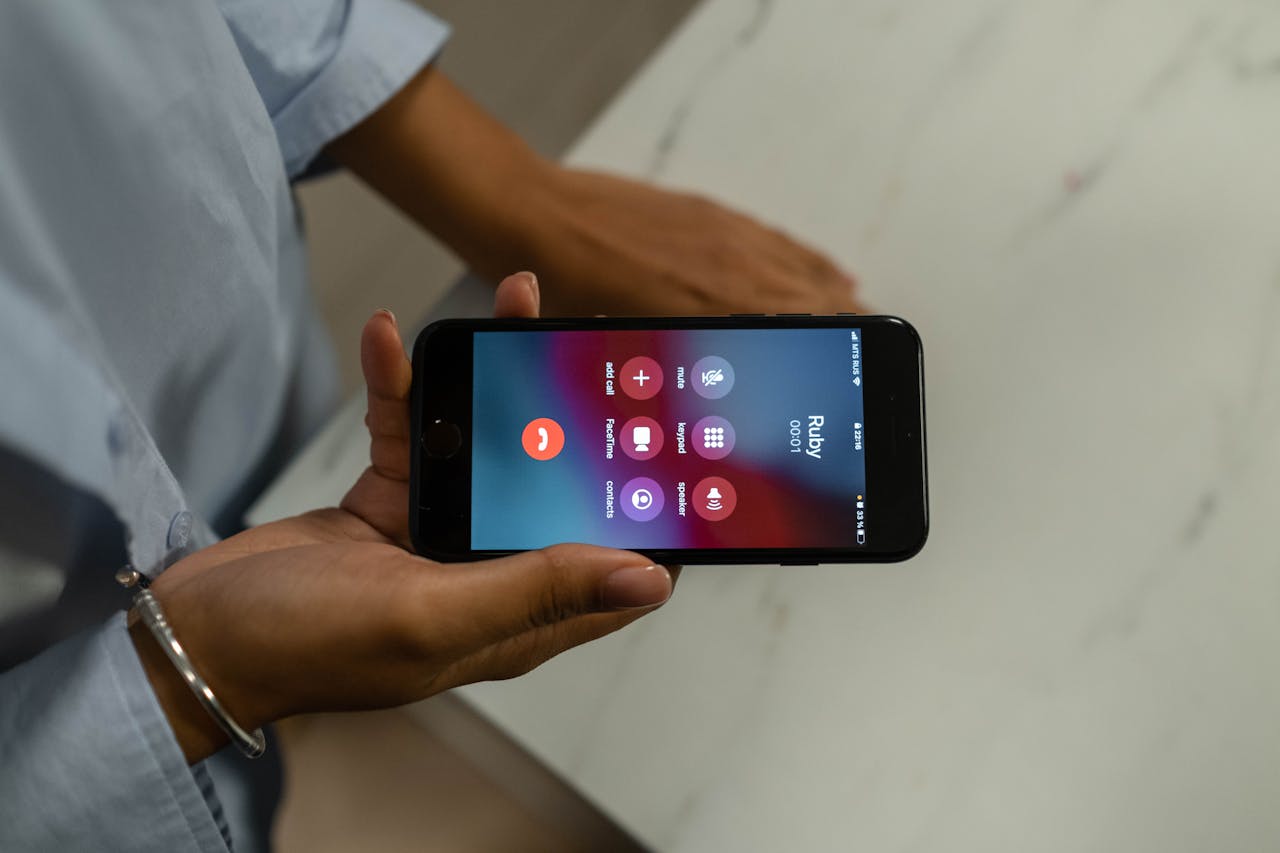
Best AI Tools for Who Called Me in 2026
Discover the best AI tools to find out who called you in 2026. Identify unknown numbers, reverse phone lookup, detect spam calls, and block unwanted callers — free tools tested and ranked.
Your phone rings. You do not recognize the number. You let it go to voicemail — but they do not leave a message. Or you pick up, hear something suspicious, and hang up. Or you just miss a call and spend the next hour wondering who it was and whether it was important.
This is one of the most common frustrations of modern life. In 2026, the average person receives multiple unknown or suspicious calls every week. Some are spam. Some are scams. Some are robocalls from political campaigns or marketing companies. Some are genuinely important calls from doctors, schools, delivery companies, or people trying to reach you for legitimate reasons. The challenge is knowing which is which — and knowing it fast enough to decide whether to answer, call back, or block.
AI-powered caller identification and reverse phone lookup tools have become one of the most practically useful categories of everyday AI in 2026. These tools maintain massive databases of phone numbers — sourced from public records, user reports, business directories, spam databases, and proprietary intelligence sources — and use AI to analyze patterns, identify the likely source of any number, assess its risk level, and give you the context you need to make an informed decision about how to respond.
The best tools go far beyond simple number lookup. They provide real-time call screening that announces the caller's name and purpose before you pick up. They identify spam and scam patterns using AI-powered call pattern analysis. They block unwanted calls automatically. They alert you when a number has been reported by thousands of other users as a robocaller, telemarketer, or scammer. And they do all of this transparently and in seconds.
This guide covers the best AI tools for identifying who called you in 2026 — tested and ranked for database accuracy, identification coverage, spam detection quality, call blocking effectiveness, and overall value.
Quick Answer: For the most comprehensive reverse phone lookup, Truecaller and Hiya lead the category with the largest databases and strongest AI spam detection. For completely free reverse lookup without an app, WhoCalledMe.com and CallerSmart cover the basics well. For real-time call screening before you answer, Google Call Screen and Truecaller Live Caller ID are the strongest options. For spam blocking specifically, Robokiller and Nomorobo are the most aggressive and effective tools available.
Table of Contents
- Why Unknown Calls Are a Growing Problem in 2026
- How AI Caller Identification Tools Work
- Types of Unknown Calls You Might Receive
- What to Look for in a Who Called Me Tool
- Top 10 AI Tools for Who Called Me (Ranked)
- Side-by-Side Comparison Table
- Types of Scam Calls AI Tools Detect
- How to Use These Tools Most Effectively
- What to Do When You Receive a Suspicious Call
- Frequently Asked Questions
- Final Verdict
Our Top Picks at a Glance
- Best Overall — Truecaller
- Best for Spam Detection — Robokiller
- Best Free Reverse Lookup — WhoCalledMe.com
- Best Real-Time Call Screening — Google Call Screen
- Best for iPhone — Hiya
- Best for Robocall Blocking — Nomorobo
- Best Database Coverage — Spokeo
- Best for Business Number Lookup — BeenVerified
- Best Community-Based Tool — CallerSmart
- Best All-in-One Privacy Tool — Privacy Star
Why Unknown Calls Are a Growing Problem in 2026
The volume of unwanted, suspicious, and unidentified phone calls has reached levels that most people find genuinely disruptive. Several forces have converged to make this problem worse in recent years:
The cost of placing calls has dropped to near zero. Automated robocalling systems can now place millions of calls per day for a few hundred dollars of computing cost. This economic reality means that spam and scam callers can afford to call every number in a city repeatedly and still profit even with an extremely low response rate.
Caller ID spoofing is widespread and trivial. It costs almost nothing for a caller to make their call appear to come from any phone number they choose — including numbers with your own area code and prefix, which are specifically designed to fool you into thinking the call is local and therefore more likely to be legitimate. This neighbor spoofing technique is one of the most common spam call tactics in 2026.
AI-powered voice scams have become more convincing. Scam calls in 2026 frequently use AI-generated voices that sound human, can respond dynamically to what you say, and are designed to keep you on the line long enough to attempt a social engineering attack. The AI tools on the other end of a suspicious call are more sophisticated than they were even two years ago.
Legitimate calls often come from unknown numbers. Doctors calling from hospital systems, delivery companies with tracking calls, government agencies, schools, employers, and dozens of other legitimate sources routinely call from numbers that are not in your contacts. The challenge is distinguishing these legitimate unknown calls from spam and scams — which requires better information than caller ID alone provides.
Data breaches have put phone numbers in the hands of more bad actors. Billions of phone numbers from data breaches over the past decade are now available to scammers, meaning virtually everyone's number has been in circulation for years.
How AI Caller Identification Tools Work
Database Matching The foundation of reverse phone lookup is a database of phone numbers with associated identity and classification information. The best tools maintain databases of hundreds of millions of numbers — sourced from public records (business registrations, court filings, property records), user reports (crowdsourced spam reports from app users), business directories, carrier data, and proprietary intelligence sources. When you look up a number, the tool searches this database and returns whatever information is associated with that number.
AI Pattern Analysis Beyond simple database lookup, advanced tools use AI to analyze calling patterns — the frequency with which a number calls different people, the time of day it calls, the duration of calls, the geographic distribution of calls, and how users respond to calls from that number (answer rate, hang-up rate, block rate). These patterns allow the AI to classify numbers as likely spam, likely scam, legitimate business, or individual caller even for numbers not yet in the database.
Community Intelligence and Crowdsourcing The largest caller ID databases are built in part on community intelligence — when millions of users report a number as spam, that report goes into the database and affects how the number is classified for all future lookups. Tools with larger user communities have better spam detection because they receive more reports more quickly when a new spam campaign begins.
Real-Time Call Screening Some tools integrate directly with your phone's call handling to provide real-time screening — intercepting incoming calls, asking the caller to state their name and purpose, playing that response to you before you decide to answer, and transcribing the interaction. This AI-powered call screening approach dramatically reduces the need to answer unknown calls at all.
Machine Learning Classification Modern caller ID tools use machine learning classifiers trained on millions of labeled calls — known spam, known scam, known legitimate business, known individual — to classify new numbers based on their characteristics. These models improve continuously as more labeled data becomes available.
Types of Unknown Calls You Might Receive
Understanding the different categories of unknown calls helps you know what you are dealing with and how to respond.
Legitimate Unknown Calls Many completely legitimate calls come from numbers not in your contacts — medical providers, pharmacies, insurance companies, employers, schools, delivery notifications, appointment reminders, government agencies, and individuals calling from work phones or temporary numbers. These calls are worth returning if you miss them and are important enough to answer if you recognize the category.
Telemarketing Calls Legal but unwanted calls from businesses trying to sell products or services. Telemarketers are required to honor Do Not Call registry requests but compliance is inconsistent. These calls are annoying but not dangerous.
Robocalls Automated pre-recorded calls placed by automated dialing systems. Includes both legal robocalls (political campaigns, public service announcements, appointment reminders) and illegal robocalls (spam, scam, unsolicited commercial calls). The volume of robocalls in 2026 is enormous — billions are placed daily in the US alone.
Spoofed Number Calls Calls where the caller ID has been manipulated to show a different number than the actual calling number. Includes neighbor spoofing (showing a local area code to increase answer rates) and government agency spoofing (faking IRS, Social Security Administration, or other government numbers to add false legitimacy to scam calls).
Scam Calls Calls specifically designed to defraud the recipient — including IRS impersonation scams, social security scams, tech support scams, prize and lottery scams, grandparent scams, romance scams, and many others. These are the most dangerous category of unknown calls and cause billions of dollars in financial losses annually.
AI-Generated Voice Scam Calls The newest and most sophisticated category — scam calls that use AI-generated voices to conduct realistic conversations, impersonate known individuals (including family members using voice cloning), or maintain extended social engineering interactions. These are increasingly difficult to detect without AI-powered analysis tools.
What to Look for in a Who Called Me Tool
Database size and accuracy. The larger and more current the number database, the more accurately the tool can identify unknown callers. Look for tools with databases covering hundreds of millions of numbers with recent update frequencies.
Spam detection accuracy. How accurately does the tool classify spam and scam numbers versus legitimate callers? A tool with high false positive rates — flagging legitimate calls as spam — is as problematic as one with low detection rates.
Real-time identification. Does the tool show you caller information before or while the phone is ringing, or only after the fact? Real-time identification is significantly more valuable than post-call lookup.
Call blocking capability. Can the tool automatically block numbers classified as spam or scam? Proactive blocking is more effective than reactive lookup.
Reverse lookup depth. For numbers that turn out to be individuals rather than businesses or spam, how much information does the tool provide? Name, location, associated email addresses, and other contact information?
Platform availability. Does the tool work on both iOS and Android? Is there a web version for looking up numbers on a computer? Cross-platform availability matters for real-world use.
Privacy practices. What data does the tool collect about your calls and contacts? Some caller ID tools access your contact list — understanding what is done with this data is important for privacy-conscious users.
Cost. What is genuinely free versus what requires a subscription? The best tools provide meaningful identification capability on their free tiers.
Top 10 AI Tools for Who Called Me in 2026
#1 — Truecaller (Best Overall)
Tagline: The world's largest caller ID and spam blocking platform — 400 million users, 3 billion numbers identified
Pricing: Free · Premium ~$2.99/month · Gold ~$8.99/month
Truecaller is the undisputed leader in the AI caller identification category — used by over 400 million people across 175 countries, with a number database that covers over 3 billion phone numbers globally. When it comes to identifying who called you, Truecaller has the most comprehensive and accurate database of any tool available, combining public record data, business directory information, and the crowdsourced reports of its enormous user community.
The core identification experience is seamless — when a call comes in from a number not in your contacts, Truecaller searches its database in real time and displays the caller's name, location, and spam classification before you even pick up. For numbers classified as spam or scam, Truecaller shows a prominent warning. For numbers associated with businesses or individuals in its database, it displays the associated name and often the caller's profile photo if they are a Truecaller user.
The AI spam detection engine is among the strongest in the category — analyzing calling patterns, community spam reports, and behavioral signals to classify numbers with high accuracy. When millions of users simultaneously report the same number as spam, Truecaller's AI detects this pattern almost immediately and begins flagging that number for all users within minutes. This community intelligence speed advantage is one of the most important practical benefits of using the platform with the largest user base.
The Call Screen feature on premium allows you to screen unknown calls — Truecaller's AI answers the call, asks the caller to state their name and purpose, and plays the response to you before you decide to pick up. This completely eliminates the need to answer unknown calls and risk engaging with scammers.
Truecaller's reverse lookup capability goes beyond in-app identification — the web-based search allows you to look up any number from a computer or browser without needing the app installed, which is useful for looking up numbers you received via other channels like email or text.
Pros:
- Largest caller ID database — 3 billion numbers globally
- 400 million user community provides exceptional crowdsourced spam intelligence
- Real-time caller identification before answering
- AI spam and scam detection with high accuracy
- Call screening on premium eliminates need to answer unknown calls
- Web-based reverse lookup for browser-based searching
- Available on iOS, Android, and web
- Strong coverage in India, Africa, and other regions often underserved by US-focused tools
Cons:
- Free tier shows ads
- Privacy concerns have been raised about contact list data usage — read privacy policy carefully
- Premium features require subscription
- Occasionally misclassifies legitimate numbers as spam
- Some users report the app being resource-intensive on older phones
Best for: Anyone who wants the most comprehensive and globally accurate caller identification and spam detection available — the default recommendation for most users worldwide
Website: truecaller.com
#2 — Robokiller (Best for Spam and Scam Call Blocking)
Tagline: The most aggressive and effective robocall and scam call blocker — answer bots waste spammers' time so you do not have to
Pricing: Free trial · ~$4.99/month or ~$39.99/year
Robokiller is purpose-built for one mission — eliminating unwanted calls from your life with maximum effectiveness. Its approach combines AI-powered call blocking with a uniquely entertaining and effective weapon against robocallers: Answer Bots. When a spam or robocall comes in, Robokiller automatically answers it with one of hundreds of AI-generated voice personas that engage the caller in a time-wasting conversation — keeping spammers occupied for minutes at a time and making their campaigns economically unviable.
The spam detection database is updated in real time — Robokiller's network of users contributes call data continuously, and its AI analyzes calling patterns to identify new spam campaigns within minutes of their launch. The block rate on known spam numbers is essentially 100 percent. For new numbers not yet in the database, the AI pattern analysis identifies likely spam based on calling behavior, time of day, and pattern matching with known spam campaigns.
The lookup capability is available through the Robokiller app — for any missed call, you can search the number and see its spam classification, how many users have reported it, and what type of spam or scam campaign it is associated with. The reporting system allows you to contribute to the community database when you receive a new number that is not yet classified.
Pros:
- Most aggressive spam and robocall blocking available
- Answer Bots waste spammers' time and make campaigns costly
- Real-time database updates with AI pattern detection
- Essentially 100 percent block rate on known spam numbers
- Large number database updated continuously by user community
- Available on both iOS and Android
- Satisfying and effective approach to the spam call problem
Cons:
- Subscription required for full blocking capability
- Occasional false positives blocking legitimate calls
- Answer Bots entertaining but not essential for everyone
- Less useful for reverse lookup of individual non-spam callers
- Some users find the setup process requiring multiple permissions complex
Best for: Users who want the most aggressive possible spam and robocall elimination with the entertaining Answer Bot feature that fights back against spammers
Website: robokiller.com
#3 — WhoCalledMe.com (Best Free Reverse Lookup)
Tagline: The most comprehensive free community-powered reverse phone lookup — no account, no app, no cost
Pricing: Completely free
WhoCalledMe.com is the strongest completely free reverse phone lookup tool available — providing a community-powered database of user reports on phone numbers with no account requirement, no app installation, and no cost. Simply type any phone number into the search box on the website and see every report that community members have filed about that number, including what the caller said, what type of call it was, and how many people have reported it.
The community intelligence model that powers WhoCalledMe is its defining strength. Unlike database-only tools that rely on pre-existing records, WhoCalledMe aggregates real reports from real people who received calls from each number — including detailed descriptions of what the caller said, what they claimed to be calling about, and whether the call was identified as a scam, telemarketer, debt collector, political call, or legitimate business. This narrative intelligence is often more useful than a simple spam classification because it tells you specifically what kind of call to expect if you call back.
The search results include the number of reports, the most common caller type classification, the most recent report date, and a selection of the most detailed community reports. For numbers that have been reported multiple times, the accumulated reports often provide enough information to identify exactly who is calling and why without needing to call back at all.
Pros:
- Completely free with no account, app, or credit card required
- Community-powered with real narrative reports about each number
- Detailed descriptions of what callers say — more useful than classification alone
- No word count limits or daily search restrictions
- Works on any device from any browser
- Updated continuously as community members file new reports
- Good coverage of US phone numbers particularly
Cons:
- Less real-time AI analysis than app-based tools
- Database coverage thinner for international numbers
- No call blocking functionality — lookup only
- Quality of reports depends on community contribution volume
- Some numbers have no reports if they have not been reported yet
Best for: Anyone who wants a quick, free, no-commitment reverse phone lookup for a specific number without installing any app or creating any account
Website: whocalledme.com
#4 — Google Call Screen (Best Real-Time Call Screening)
Tagline: Google's AI-powered call screening answers unknown calls for you and transcribes what callers say in real time
Pricing: Free (built into Pixel phones and Google Phone app)
Google Call Screen is the most seamlessly integrated real-time call screening tool available — built directly into Google's Pixel phones and the Google Phone app for Android devices. When an unknown call comes in, tapping the Screen Call button has Google's AI answer the call on your behalf, ask the caller to state their name and purpose, and display a real-time transcript of their response on your screen — all before you decide whether to pick up.
The AI voice that screens your calls sounds natural and professional, the transcription is accurate and nearly instantaneous, and the entire process takes place in a way that feels entirely normal to legitimate callers. Many users never need to answer unknown calls at all because the screening interaction provides all the context they need to decide whether to continue the call.
For spam and robocalls, Call Screen is particularly effective — automated spam systems are typically not designed to interact with a screening prompt and either hang up immediately or produce nonsensical responses that immediately identify them as automated. This makes Google Call Screen one of the most practically effective spam call filters even though it is not primarily a spam database tool.
The Spam and Scam alerts integrated into the Google Phone app complement Call Screen by flagging known spam numbers before you even tap Screen Call, showing a prominent warning on the incoming call screen for numbers in Google's spam database.
Pros:
- Best real-time call screening experience available
- Completely free — built into Google Pixel phones and Android
- Real-time transcription of caller's stated name and purpose
- Eliminates need to answer unknown calls to determine their nature
- Effectively identifies robocalls that cannot respond naturally to screening
- Integrates with Google's spam detection database
- No setup required on supported devices
Cons:
- Primarily available on Pixel phones and select Android devices
- Not available on iPhone
- Limited reverse lookup capability beyond call screening
- Requires the caller to respond to the screening prompt
- No database lookup for after-the-fact number research
Best for: Android and Pixel phone users who want the best real-time call screening experience built directly into their phone without any additional app or subscription
Website: store.google.com (built into Pixel devices)
#5 — Hiya (Best for iPhone)
Tagline: The leading spam call protection and caller ID app for iPhone — clean, accurate, and well-integrated with iOS
Pricing: Free · Hiya Premium ~$3.99/month
Hiya is the strongest caller identification and spam blocking tool specifically designed for iPhone users — integrating cleanly with iOS's call blocking and identification extension framework to provide real-time caller identification and spam detection through Apple's native call experience. Unlike Android tools that can access deeper system integration, iOS apps face restrictions on call handling — and Hiya is the tool that navigates these restrictions most effectively to still provide meaningful real-time identification.
The Hiya database covers over 1 billion phone numbers with a particularly strong emphasis on North American numbers — making it the most accurate tool for US and Canadian users specifically. The spam detection accuracy for North American spam campaigns is excellent, and the false positive rate — legitimate calls incorrectly flagged as spam — is among the lowest in the category.
The clean, uncluttered interface makes Hiya easy to use for any user regardless of technical background. The setup process is straightforward — install the app, enable it as a call extension in iOS Settings, and Hiya begins identifying and flagging calls immediately without any further configuration required.
Pros:
- Best caller ID and spam blocking experience on iPhone
- Clean iOS integration using official Apple call extension framework
- Strong database coverage for North American numbers
- Low false positive rate — legitimate calls rarely misclassified
- Simple setup and clean interface
- Free tier covers the core identification and spam blocking needs
- Business caller ID identifies company names on incoming calls
Cons:
- iOS restrictions limit real-time call screening compared to Android tools
- Less global coverage than Truecaller for international numbers
- Premium required for advanced features including call recording
- Database thinner on international numbers outside North America
- Community reporting less robust than Truecaller's larger user base
Best for: iPhone users in the US and Canada who want the most polished and accurately calibrated caller identification and spam blocking experience on iOS
Website: hiya.com
#6 — Nomorobo (Best for Robocall Blocking)
Tagline: The original robocall blocking service — stops illegal robocalls before your phone even rings
Pricing: Free for landlines · ~$1.99/month for mobile
Nomorobo was one of the first robocall blocking services and won the FTC's Robocall Challenge competition for its effectiveness. Its approach is distinctively different from app-based tools — rather than identifying calls after they come in, Nomorobo uses simultaneous ring technology to intercept calls before they reach your phone, matching incoming numbers against its database and hanging up on known robocallers within the first ring.
The database is specifically optimized for illegal robocallers and automated dialing systems — Nomorobo has spent over a decade collecting and analyzing robocall data and maintaining one of the most comprehensive illegal robocall databases available. The blocking effectiveness for known robocall numbers is essentially instantaneous — your phone rings once (the brief simultaneous ring) and then falls silent as Nomorobo disconnects the call before it completes.
For landline users, Nomorobo is free and remains one of the most effective tools available. The mobile service extends the same blocking capability to smartphone users through a carrier-level integration that most other apps cannot replicate.
Pros:
- One of the most established and trusted robocall blocking services
- Simultaneous ring technology blocks calls before they complete
- Free for landline users — one of the best free options available
- Decade-long database of illegal robocallers is highly comprehensive
- Works at carrier level rather than app level for more reliable blocking
- Winner of FTC Robocall Challenge — independently validated effectiveness
- Low false positive rate for legitimate call misclassification
Cons:
- Mobile service requires a small monthly fee
- Less comprehensive for non-robocall spam identification
- Limited reverse lookup capability for individual caller research
- Setup requires landline service or mobile carrier compatibility
- Less feature-rich than newer apps for general caller identification
Best for: Landline users who want free robocall blocking, and mobile users specifically focused on eliminating automated robocalls rather than general spam identification
Website: nomorobo.com
#7 — Spokeo (Best Database Coverage for Individual Lookup)
Tagline: Deep reverse phone lookup with comprehensive people search — identify unknown individual callers with detailed records
Pricing: Free preview · ~$19.95/month or ~$0.95 for single report
Spokeo is primarily a people search engine that includes comprehensive reverse phone lookup as one of its core features. Where spam-focused tools like Robokiller and Nomorobo excel at identifying automated and commercial callers, Spokeo is the strongest tool when you want to identify an unknown individual caller — providing detailed information about the person associated with a phone number including their name, address, associated email addresses, social media profiles, and public records.
The database Spokeo maintains is drawn from public records, social media, business directories, and aggregated data sources — giving it depth of individual caller information that caller ID and spam detection tools typically do not provide. For the specific use case of identifying an unknown call from an individual person — a former acquaintance, someone who has been contacting you repeatedly, a number from a voicemail you cannot identify — Spokeo provides the most actionable identification information available.
The reverse phone lookup feature returns a preview of available information for free — showing you whether a match exists and what general location it is associated with before you pay to access the full report. This preview-before-payment model allows you to verify that information exists before committing to a charge.
Pros:
- Deepest individual caller identification available
- Comprehensive people search beyond just name and location
- Associated email addresses, social media, and public records
- Useful for identifying unknown individual callers specifically
- Preview before payment helps avoid wasted lookups
- Strong database of US individual records
- Good for repeated unwanted individual calls requiring identification
Cons:
- Individual report fee makes it expensive for frequent use
- Monthly subscription required for regular use
- Less suitable for spam and robocall detection
- Privacy concerns with aggregated personal data
- International coverage much weaker than US records
Best for: Users who need to identify a specific unknown individual caller — not for spam blocking, but for understanding who a specific real person calling you actually is
Website: spokeo.com
#8 — BeenVerified (Best for Business Number Lookup)
Tagline: Comprehensive reverse phone lookup with strong business number identification and background context
Pricing: ~$26.89/month for unlimited searches · Single reports available
BeenVerified is a comprehensive background check and people search service with strong reverse phone lookup capabilities — particularly for identifying business numbers, professional contacts, and mixed personal and business caller identification. For users who receive a lot of calls from business numbers that are not in their contacts — sales calls from legitimate businesses, client calls, vendor calls — BeenVerified provides the most useful business identification information.
The business number database includes company names, business types, associated addresses, and business registration information that allows you to determine whether an unknown business call is from a legitimate company in a relevant industry or a suspicious operation. This business intelligence layer is particularly useful for professionals who receive frequent calls from unknown business numbers and need to quickly assess whether to engage.
The people search capability alongside the phone lookup means BeenVerified can often provide a complete picture of an unknown caller — the business they represent, their professional role, their location, and background information that helps you contextualize why they might be calling.
Pros:
- Strong business number identification with company details
- Comprehensive people search complements phone lookup
- Useful for professional contexts with frequent unknown business calls
- Good database of US business and individual records
- Unlimited searches on monthly subscription
- Detailed report format with associated background information
Cons:
- Monthly subscription required — no meaningful free tier
- Expensive for occasional reverse lookup use
- Less focused on spam detection than dedicated spam tools
- Privacy concerns about aggregated personal data collection
- International coverage significantly weaker than US coverage
Best for: Professionals and business users who receive frequent unknown business calls and want comprehensive caller context beyond simple spam classification
Website: beenverified.com
#9 — CallerSmart (Best Community-Based Tool)
Tagline: Community-powered caller identification with detailed user reports — find out exactly what other people say about any number
Pricing: Free · Premium ~$2.99/month
CallerSmart combines automated number identification with community-powered user reports in a clean, well-designed mobile app that provides both quick classification and detailed narrative intelligence about unknown callers. The community report system is particularly strong — users file detailed reports describing their experience with each number, and the accumulated reports for any frequently reported number provide a remarkably comprehensive picture of what to expect.
The AI classification system categorizes numbers into specific caller types — debt collector, telemarketer, political campaign, charity solicitation, government agency, healthcare provider, scam, and many others — with enough granularity to distinguish between annoying but legitimate calls and genuinely dangerous scam attempts. This categorical specificity is more useful than a simple spam or not-spam binary classification for deciding how to respond.
The app also provides a personal call history feature — showing you all the unknown numbers that have called you, their classifications, and any community reports — making it easy to research a missed call from any time in your recent call history rather than only immediately after receiving it.
Pros:
- Strong community report system with detailed narrative intelligence
- Specific categorical classification beyond simple spam flag
- Clean, well-designed app interface
- Personal call history for researching past missed calls
- Good free tier with meaningful identification capability
- Available on iOS and Android
- Regular database updates from active community
Cons:
- Database coverage thinner than Truecaller for global numbers
- Community reports variable in quality and detail
- Premium required for highest-detail reports
- Less aggressive call blocking than Robokiller or Nomorobo
- Slower spam detection for new campaigns than tools with larger user bases
Best for: Users who want detailed community-sourced narrative intelligence about unknown callers alongside automated classification — understanding the story behind a number rather than just its spam classification
Website: callersmart.com
#10 — Privacy Star (Best All-in-One Privacy and Caller Tool)
Tagline: Caller identification, spam blocking, Do Not Call registration monitoring, and call privacy management in one platform
Pricing: Free · Premium ~$2.99/month
Privacy Star combines reverse phone lookup and spam blocking with a set of privacy-focused features that go beyond what pure caller identification tools provide. The Do Not Call registry integration monitors whether reported spam callers are violating Do Not Call regulations and facilitates filing complaints with the FTC — making it one of the few tools that helps users take action against illegal spam callers rather than just blocking them.
The call history privacy feature encrypts and protects your call log data — important for users who are concerned about the privacy implications of using caller ID services that access contact lists and call data. Privacy Star is explicit about its data handling practices and positions itself as the most privacy-conscious option in the caller identification category.
The spam identification and blocking quality is solid — not at the level of Truecaller or Robokiller for raw detection accuracy, but strong enough for everyday use. The combination of competent spam blocking with thoughtful privacy practices and regulatory action features makes Privacy Star a distinctive and worthwhile option for privacy-conscious users.
Pros:
- Do Not Call registry integration helps users take action against violators
- Privacy-focused data handling practices
- Spam blocking combined with regulatory complaint facilitation
- Encrypted call history protection
- Transparent about data collection and usage practices
- All-in-one approach covers identification, blocking, and privacy
- Good for users who want more than passive spam blocking
Cons:
- Spam detection accuracy below Truecaller or Robokiller
- Smaller database than market leaders
- Less globally comprehensive than Truecaller
- Premium required for full feature access
- Less well-known than leading tools — smaller community means less crowdsourced intelligence
Best for: Privacy-conscious users who want caller identification and spam blocking combined with transparent data practices and tools for taking action against illegal spam callers
Website: privacystar.com
Side-by-Side Comparison Table
| Tool | Best For | Free Tier | Real-Time ID | Call Blocking | Reverse Lookup | iOS | Android | Web Lookup |
|---|---|---|---|---|---|---|---|---|
| Truecaller | Best overall | ✅ Ads | ✅ Best | ✅ | ✅ | ✅ | ✅ | ✅ |
| Robokiller | Spam blocking | ✅ Trial | ✅ Good | ✅ Best | ✅ Basic | ✅ | ✅ | ❌ |
| WhoCalledMe | Free lookup | ✅ Full | ❌ | ❌ | ✅ Community | ✅ Browser | ✅ Browser | ✅ |
| Google Call Screen | Real-time screening | ✅ Full | ✅ Best | ✅ | ❌ | ❌ | ✅ | ❌ |
| Hiya | iPhone users | ✅ Good | ✅ Good | ✅ | ✅ Good | ✅ Best | ✅ | ❌ |
| Nomorobo | Robocall blocking | ✅ Landline | ✅ Good | ✅ Best | ❌ | ✅ | ✅ | ❌ |
| Spokeo | Individual lookup | ✅ Preview | ❌ | ❌ | ✅ Deep | ✅ Browser | ✅ Browser | ✅ |
| BeenVerified | Business lookup | ❌ | ❌ | ❌ | ✅ Business | ✅ Browser | ✅ Browser | ✅ |
| CallerSmart | Community reports | ✅ Good | ✅ Basic | ✅ Basic | ✅ Good | ✅ | ✅ | ❌ |
| Privacy Star | Privacy-focused | ✅ Basic | ✅ Basic | ✅ Good | ✅ Good | ✅ | ✅ | ❌ |
Types of Scam Calls AI Tools Detect
Understanding the most common scam call types helps you recognize suspicious calls even when AI tools do not flag them — and helps you understand what these tools are trained to detect.
IRS and Tax Scams Callers claim to be IRS agents and demand immediate payment for alleged tax debts, threatening arrest if payment is not made immediately. The IRS communicates primarily by mail and never demands immediate payment over the phone. These calls are among the most commonly reported scam types.
Social Security Scams Callers claim your Social Security number has been suspended or linked to criminal activity. Social Security Administration never calls unsolicited about suspended numbers. These scams are designed to extract Social Security numbers and financial information.
Tech Support Scams Callers claim to be from Microsoft, Apple, or another tech company and say your computer has a virus or security problem. They direct you to give them remote access to your computer or pay for fake software or services.
Fake Prize and Lottery Scams Callers claim you have won a prize or lottery and need to pay fees or taxes to claim your winnings. No legitimate prize requires payment to collect winnings.
Grandparent Scams Callers impersonate a grandchild or family member claiming to be in trouble — arrested, in an accident, or in a foreign country — and need money sent urgently. AI voice cloning makes these increasingly convincing.
Utility Scams Callers claim to be from your utility company and threaten immediate service shutoff unless payment is made immediately through a specific payment method. Legitimate utilities provide notice by mail before shutting off service.
Medicare and Health Insurance Scams Callers claim to be from Medicare or a health insurance provider and request personal information to process new benefits or cards. These calls are designed to steal Medicare numbers and personal health information.
Debt Collection Scams Fake debt collectors claim you owe a debt and threaten legal action or arrest. Legitimate debt collectors are required to provide written validation of debts.
How to Use These Tools Most Effectively
Install a caller ID app before you need it. The best time to install a caller identification tool is before you receive the suspicious call, not after. Real-time identification requires the app to be installed and active before the call comes in.
Use multiple tools for complete coverage. A spam blocker like Robokiller combined with a reverse lookup tool like Truecaller or WhoCalledMe provides coverage across different aspects of the unknown caller problem. Spam blocking handles automated calls; reverse lookup handles unknown individual calls.
Report spam numbers when you receive them. Every time you mark a call as spam in your caller ID app, you contribute to the community database that protects other users. The more reports a number accumulates, the faster it gets classified for everyone.
Never rely solely on caller ID for caller verification. Caller ID can be spoofed — a number that appears to belong to your bank or the IRS is not necessarily from those organizations. For any call requesting personal information, financial action, or access to accounts, call back using the verified number from the official website rather than the number that called you.
Enable Do Not Call registry registration. Register your number with the FTC Do Not Call registry — while compliance from scammers and offshore callers is minimal, it does reduce legitimate telemarketing calls and provides a basis for complaints against domestic violators.
Use Google Call Screen or Truecaller's call screening for all unknown calls. The safest approach to unknown calls in 2026 is to screen all of them — let the AI determine whether the call is worth taking rather than deciding blind. This eliminates virtually all risk of engaging with scammers.
What to Do When You Receive a Suspicious Call
Do not give out personal information. Legitimate organizations do not call unsolicited to request Social Security numbers, account numbers, passwords, or payment information. If a caller requests any of these, end the call regardless of how official they sound.
Do not be pressured by urgency. Scam calls are designed to create a sense of urgency that prevents you from thinking clearly. If a caller says you must act immediately or face arrest, account closure, or service shutoff — this urgency itself is a strong signal of a scam. Legitimate urgent matters come with documentation you can verify independently.
Hang up and call back using a verified number. If a caller claims to be from your bank, the IRS, your utility company, or any other institution and you want to verify their claim — end the call and use the number on the official website or your account statement to call back. Do not call back the number that called you.
Look up the number immediately after receiving the call. Use WhoCalledMe, Truecaller's web search, or any other reverse lookup tool to research the number before deciding to call back. A quick search often reveals whether the number has been reported as spam, what type of caller it is associated with, and whether other users have described the nature of the call.
Report scam calls. Report scam calls to the FTC at ReportFraud.ftc.gov, to your carrier's spam reporting system, and to your caller ID app. Each report makes it faster for these calls to be classified and blocked for other potential victims.
Block the number. After identifying a spam or scam number, block it directly from your phone's call log. Most smartphones allow you to block a number with one or two taps from the recent calls screen.
Frequently Asked Questions
Can AI tools always tell me who called me? Not always — but increasingly accurately. For numbers associated with businesses, frequent callers, or numbers that have been reported by community members, AI tools identify the caller with high accuracy. For numbers that have never been used before, have very few community reports, or belong to private individuals who have not appeared in public records, identification may be limited to general location information. The identification rate improves continuously as databases grow and community reporting increases.
Are reverse phone lookup tools legal? Yes — in most jurisdictions, looking up publicly available information associated with a phone number is entirely legal. The information these tools provide is drawn from public records, business directories, and voluntarily shared user data. Using this information to make harassment calls, stalk individuals, or commit fraud would be illegal — but the lookup itself is not. Always use these tools for legitimate purposes like identifying suspicious callers and protecting yourself from scams.
Is Truecaller safe to use — does it share my contacts? Truecaller's contact sharing policy has been a topic of discussion. By default, Truecaller requests access to your contact list to build its database — uploading contacts from its users is how it builds the name associations for its billions of numbers. You can use Truecaller without granting contact access, which limits some features but preserves more privacy. Read Truecaller's privacy policy carefully and configure permissions according to your comfort level.
What is the best completely free tool to look up who called me? WhoCalledMe.com is the best completely free reverse lookup tool — no account, no app, no payment, just enter the number and see community reports. For free real-time caller identification on Android, Google Call Screen is built in to Pixel phones at no cost. For free app-based identification on both iOS and Android, Hiya and CallerSmart both provide meaningful free tiers.
Can I find out who called me from a private number? Private or blocked numbers specifically withhold caller ID information — the calling party has intentionally hidden their number, and reverse lookup tools cannot identify a number that is not transmitted. Some carrier services offer anonymous call rejection (automatically rejecting calls with withheld numbers), and law enforcement can subpoena carrier records to identify private callers in cases involving harassment or threats. For everyday private number calls, there is unfortunately no reliable consumer tool that can identify the calling party.
How do I stop spam calls permanently? Complete elimination of spam calls is not currently possible, but significant reduction is achievable. Register with the Do Not Call registry. Install a spam blocker like Robokiller or Nomorobo. Enable your carrier's built-in spam blocking features (most major carriers offer these). Enable call screening. Avoid answering numbers you do not recognize — let them go to voicemail and only respond to callers who leave messages. Use a secondary number for accounts and registrations that might result in spam calls. These steps combined reduce spam call volume dramatically for most users.
What should I do if I think I answered a scam call and gave information? If you believe you shared financial account information, act immediately — contact your bank or financial institution to report potential compromise, place a fraud alert on your credit with the three major credit bureaus, change passwords for any accounts you discussed, and file a report with the FTC at ReportFraud.ftc.gov. If you shared your Social Security number, consider placing a credit freeze with all three credit bureaus. Acting quickly significantly reduces the potential damage from phone scam information theft.
Do these tools work internationally? Coverage varies significantly by country. Truecaller has the best international coverage — particularly strong in India, Africa, and Southeast Asia where it dominates the market. Hiya and Robokiller are primarily optimized for North American numbers. WhoCalledMe has the most community reports for US numbers. For international reverse lookups, Truecaller is the most reliable single tool. For specific regions, there may be country-specific tools with better local coverage than any global platform.
Final Verdict
Unknown calls are one of the most universal and genuinely frustrating problems of modern communication — and AI-powered caller identification tools have become the most practical solution available. The best tools in 2026 identify the vast majority of spam and scam callers before you answer, provide context on unknown legitimate callers, and actively block the worst offenders from reaching you at all.
Truecaller is the default recommendation for most users — its combination of the largest global database, strongest community intelligence, and real-time identification makes it the most comprehensively useful tool available for anyone outside the Apple ecosystem or with international calling patterns. Robokiller is the right choice for users who want maximum aggression against spam and robocallers — its Answer Bots and near-perfect blocking rate for known spam numbers are unmatched. Google Call Screen is the best real-time screening solution for Android users who want to never need to answer an unknown call. Hiya is the strongest iOS-specific option for iPhone users who want clean, accurate, well-integrated caller identification.
For free, no-commitment reverse lookup of a specific number, WhoCalledMe.com remains the most useful tool requiring no installation or payment. Nomorobo is the most established and proven solution specifically for landline robocall blocking. Spokeo and BeenVerified serve the specific need of identifying unknown individual callers with detailed people search capabilities beyond what spam-focused tools provide.
In 2026, there is no reason to answer unknown calls blind, wonder who missed calls were from, or be victimized by scam callers that AI tools could have identified before you even picked up. The tools exist, most are free or very affordable, and the protection they provide is immediate and genuinely effective.
Your phone should work for you — not for the people trying to manipulate and defraud you through it.